
The Attack Shark X68 HE and the Wooting 60HE are two small Hall effect keyboards for games, and "attack shark x68he vs wooting 60he" is something people search for word for word. Both use magnetic switches, so you can set how deep a press counts and turn on rapid trigger. In the Mechvibes library, the 60HE's packs were opened about fifteen times as often as the X68 HE's in the last 30 days. With the job this close, how each one sounds on your desk can help you choose.
Both boards are in the Mechvibes library as community sound packs, so you can hear them before you buy. We have not used these keyboards ourselves; the facts below come from their makers' pages, linked.
Some links below are affiliate links: Mechvibes may earn a commission on qualifying purchases, at no cost to you. As an Amazon Associate, Mechvibes earns from qualifying purchases.
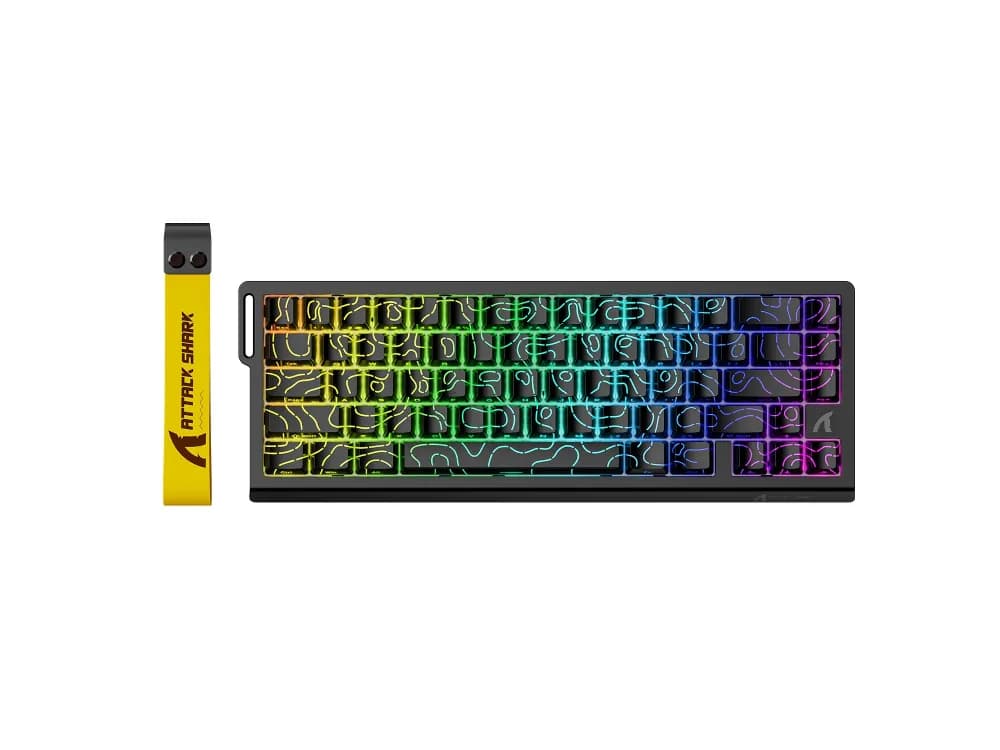
Attack Shark X68 HE
Played 150 times on Mechvibes in the last 30 days, and counting.
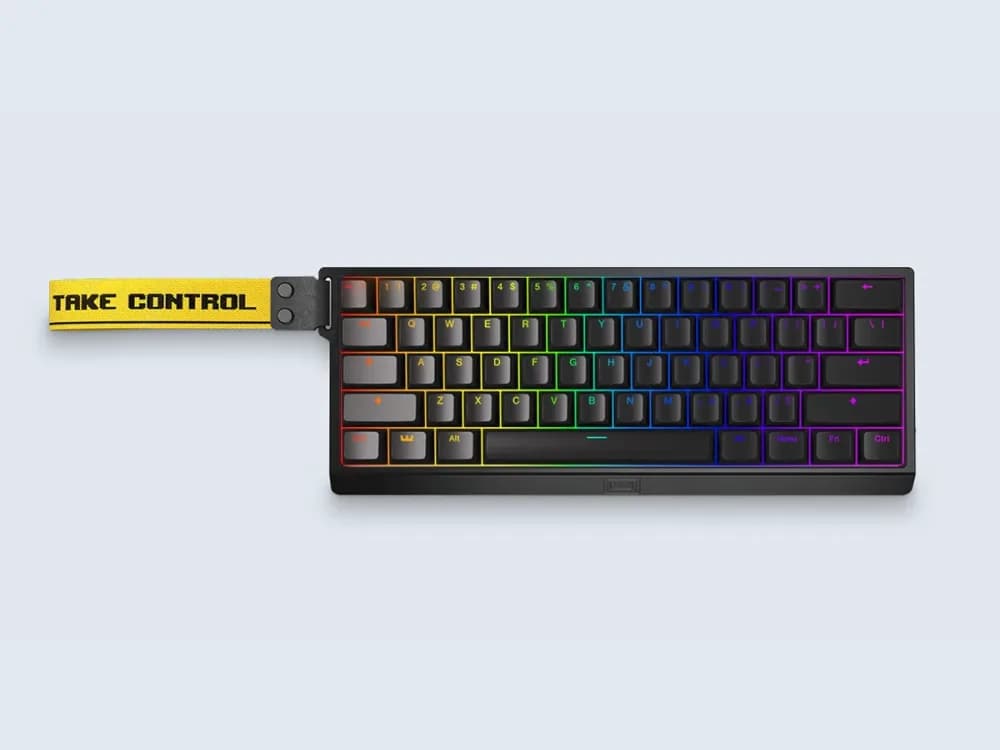
Wooting 60HE
Played 2,331 times on Mechvibes in the last 30 days across 7 community packs, and counting.
At a glance
| Attack Shark X68 HE | Wooting 60HE | |
|---|---|---|
| Layout | 65%, 66 keys | 60% |
| Case | Not stated | ABS (60HE+); ABS or aluminium (60HE v2) |
| Switches | Attack Shark linear magnetic switches, hot-swappable | Lekker L60s (60HE+); Lekker Tikken Medium (60HE v2) |
| Connectivity | USB-C, wired | USB-C to USB-A cable (60HE+); USB-C to USB-C cable (60HE v2) |
| Sound in its packs | Thocky, creamy | Clacky, thocky, clicky |
| Packs on Mechvibes | 1 | 7 |
| Pack views in the 30 days to November 20, 2026 | 145 | 2,238 |
Pack views count each person once a day. X68 HE facts from Attack Shark's product page. Wooting sells the 60HE in two versions: the 60HE+ at the 60HE's own address, and the newer 60HE v2.
How they sound
The X68 HE has one pack in the library: x68he attack shark, recorded on Attack Shark's own magnetic switches and described as thocky and creamy.
The 60HE has seven. Five record Lekker L60 switches, the switch of the 60HE+. Wooting 60HE V2, the one people opened most, is described as clacky, thocky and clicky; despite its name, its page lists Lekker L60 switches. wooting 60he is described as clacky. Two packs record Lekker Tikken switches, the switch Wooting lists for the 60HE v2: Wooting 60HE V2 Lekker Tikken, described as thocky, and (collab with Saint!) Wooting 60he+ and Wooting 60HE(lekker tikket switches), described as clacky.
For the 60HE v2, Wooting describes the FR4 plate's sound as "woody and mellow" and says the Lekker Tikken's closed bottom gives "a deeper, more muted sound than most other HE switches". Attack Shark's page does not describe the X68 HE's sound.
A simple way to compare: open one pack of each and type the same sentence on both, at the same volume. Start with x68he attack shark and Wooting 60HE V2, the most played pack of each.
What sets them apart
- The size. Attack Shark calls the X68 HE a 65% keyboard with 66 keys (Attack Shark). Wooting lists the 60HE as a 60% board (Wooting).
- What is inside for sound. Attack Shark lists an aluminium alloy plate with PORON foam and PORON bottom foam for the X68 HE (Attack Shark). The 60HE+ has a steel plate; the 60HE v2 has an FR4 plate and an HD Poron sandwich layer that Wooting says "lowers the pitch for a deeper sound" (Wooting, Wooting).
- How deep a press can count. Attack Shark lists an actuation point from 0.1 to 3.4 mm, with rapid trigger set in 0.01 mm steps (Attack Shark). Wooting lists 0.1 to 4.0 mm in 0.1 mm steps for both versions of the 60HE (Wooting, Wooting).
- The switches. Attack Shark lists linear magnetic switches with 40 ± 5 gf of operating force, and says the board takes other compatible magnetic switches, such as its Magnetic Jade (Attack Shark). Wooting ships Lekker L60s in the 60HE+ and Lekker Tikken Medium in the 60HE v2 (Wooting, Wooting).
Both are wired, and both makers list 8,000 Hz polling: Attack Shark for the X68 HE, Wooting for the 60HE v2 (Attack Shark, Wooting).
Which one to hear first
If you want a deep, soft sound, start with x68he attack shark, described as thocky and creamy, then Wooting 60HE V2 Lekker Tikken, described as thocky. If you like a sharper sound, start with wooting 60he, described as clacky.
If you are looking at the 60HE v2, hear the two Lekker Tikken packs first: they are the ones on the switch that version ships with. The X68 HE has only one pack, so treat it as one recording of one board.
How to listen
Every pack page has a keyboard you can type on. Turn the volume up and type anywhere on the page to hear the pack. To hear it while you work in other apps, download Mechvibes, open the pack and press Install.
The same keyboard can sound very different from one recording to the next. Switches, keycaps, the desk and the microphone all change the sound, which is why some keyboards here have several packs. If you own an X68 HE, or a 60HE v2 in its aluminium case, you can record your own pack and add it to the library.