A Free Klack Alternative for Windows, Linux and Mac
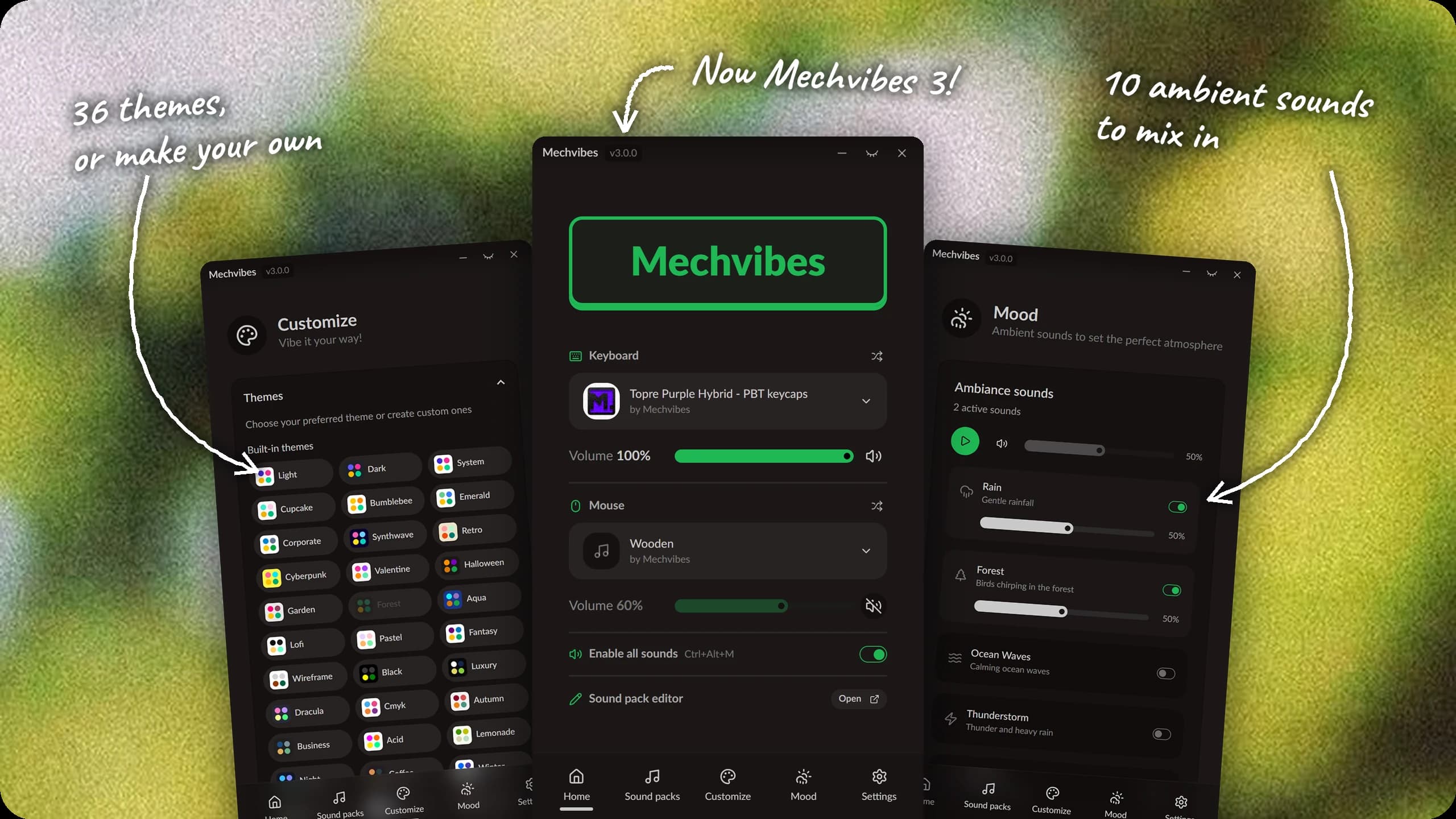
Klack is a small Mac app that plays mechanical keyboard sounds as you type. It is well made, and a lot of people find it through Apple news sites. It is also Mac only: it costs $4.99 on the Mac App Store and needs macOS 15 or later. If you use Windows or Linux, or would rather not pay for a sound app, Mechvibes does the same job for free.
What both apps do
Both play a sound for every key you press, in whatever app you are typing in, not only while their own window is open. Both sit in the background, Klack in the menu bar and Mechvibes in the system tray. Both play a separate sound when a key goes down and when it comes back up, both can vary the pitch a little so a repeated key does not sound identical every time, and both play mouse click sounds.
Where they differ
| Klack | Mechvibes | |
|---|---|---|
| Price | $4.99 | Free |
| Runs on | macOS 15 or later | Windows, Linux, and macOS on Apple Silicon (experimental) |
| Source code | Closed | Open source, MIT license |
| Keyboard sounds included | 7 switches | 10 packs (Cherry MX, EG, Topre) |
| Mouse sounds included | Clicks | 4 packs |
Mechvibes also has a few things Klack's site does not list:
- A community library. The sound pack library has 970 packs made by other people. On Windows and Linux, click Install in Mechvibes on a pack's page and the app installs it. On Mac, download the ZIP and add it from the Sound packs page.
- Your own sounds. The sound pack editor runs in the browser. Load a recording of your keyboard, mark where each key's sound starts and ends, and export a pack. The editor tutorial walks through it.
- Ambient sounds. Mood mixes in rain, forest, ocean waves, a coffee shop and six more, each with its own volume.
- Themes. 36 built-in themes, plus your own colors, logo and background.
Where Klack is ahead
On a Mac, Klack is the more finished app. It is native, it has spatial audio, and it comes signed through the App Store. The Mac build of Mechvibes is experimental: it runs on Apple Silicon only, and it is not notarized, so the first launch takes an extra step that the setup tips explain. If you only use a Mac and want the most polished option, Klack is a good choice.
Try Mechvibes
- Get the installer for your system from the download page.
- On Linux, especially on Wayland, add your account to the
inputgroup: runsudo usermod -aG input $USER, then log out and back in. - Open Mechvibes and pick a keyboard pack and a mouse pack on Home.
Ctrl+Alt+Mmutes everything when you need quiet. - Browse the library when the built-in packs start to feel familiar.
Mechvibes has been around since December 2019, a little over three years before Klack 1.0 came out in March 2023, and the original version was downloaded more than 4.6 million times. Several newer keyboard sound apps list it on AlternativeTo as the app they replace. Mechvibes 3 is a rewrite of that app in Rust, and the code is on GitHub if you want to see how it works or help out.