
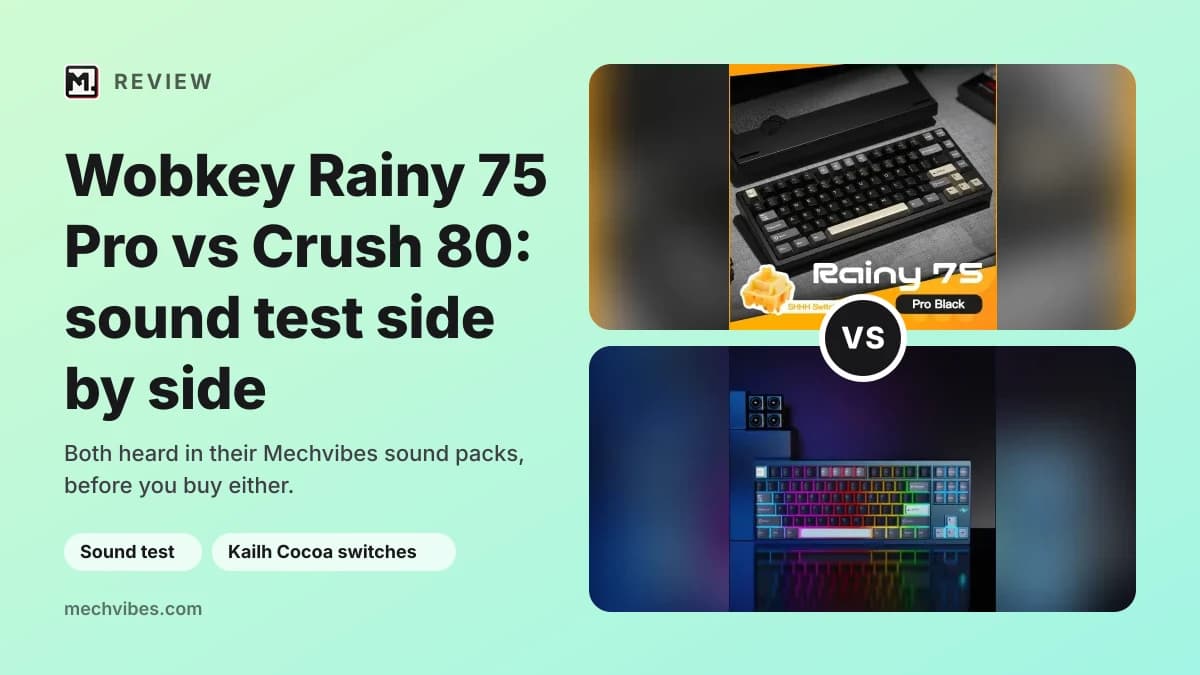
The Wobkey Rainy 75 Pro and the Wobkey Crush 80 come from the same maker, and both packs here record the same switch, the Kailh Cocoa. The Rainy 75 Pro is the most played keyboard in the Mechvibes library this month; the Crush 80 is Wobkey's bigger board, with a full TKL layout. People who like the Rainy and want the navigation keys look at the Crush 80 next, and "rainy 75 vs crush 80" is something they search for, with side-by-side pages on Keeb Finder. Tom's Hardware's review of the Crush 80 Reboot Pro also sets it against the Rainy 75 Pro. With many people choosing a keyboard this week, hearing the two with the same switch shows what the bigger case changes.
Both boards are in the Mechvibes library as community sound packs, so you can hear them before you buy. We have not used these keyboards ourselves; the facts below come from Wobkey's pages and one review, linked.
Some links below are affiliate links: Mechvibes may earn a commission on qualifying purchases, at no cost to you. As an Amazon Associate, Mechvibes earns from qualifying purchases.
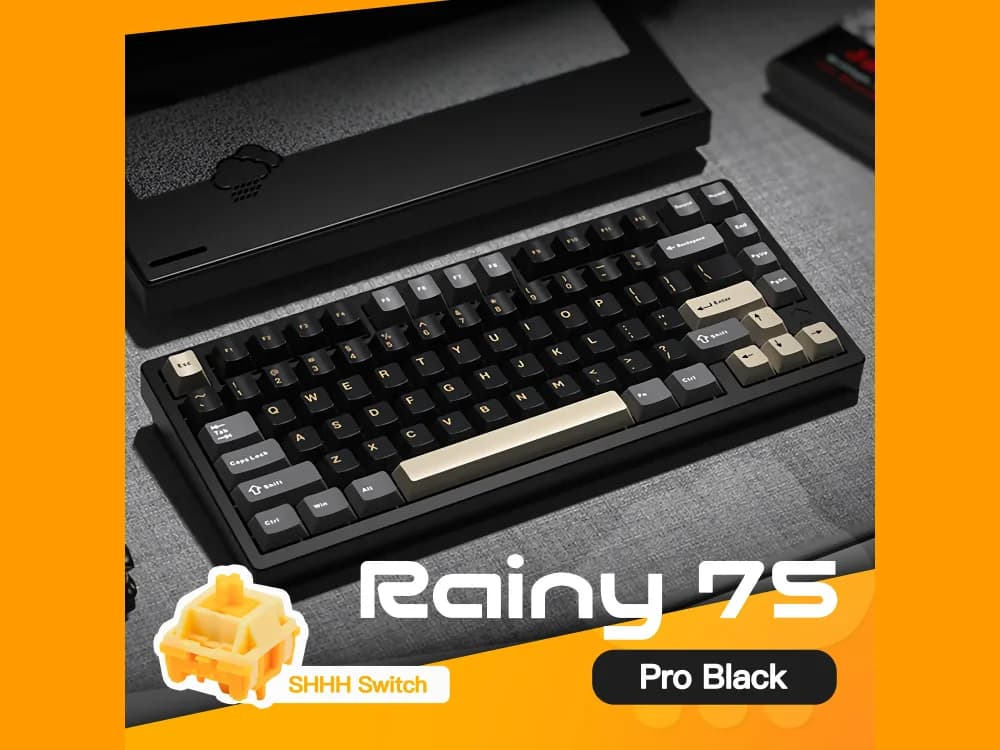
Wobkey Rainy 75 Pro
Played 8,990 times on Mechvibes in the last 30 days across 3 community packs, and counting.
Every Wobkey Rainy 75 Pro sound pack (3)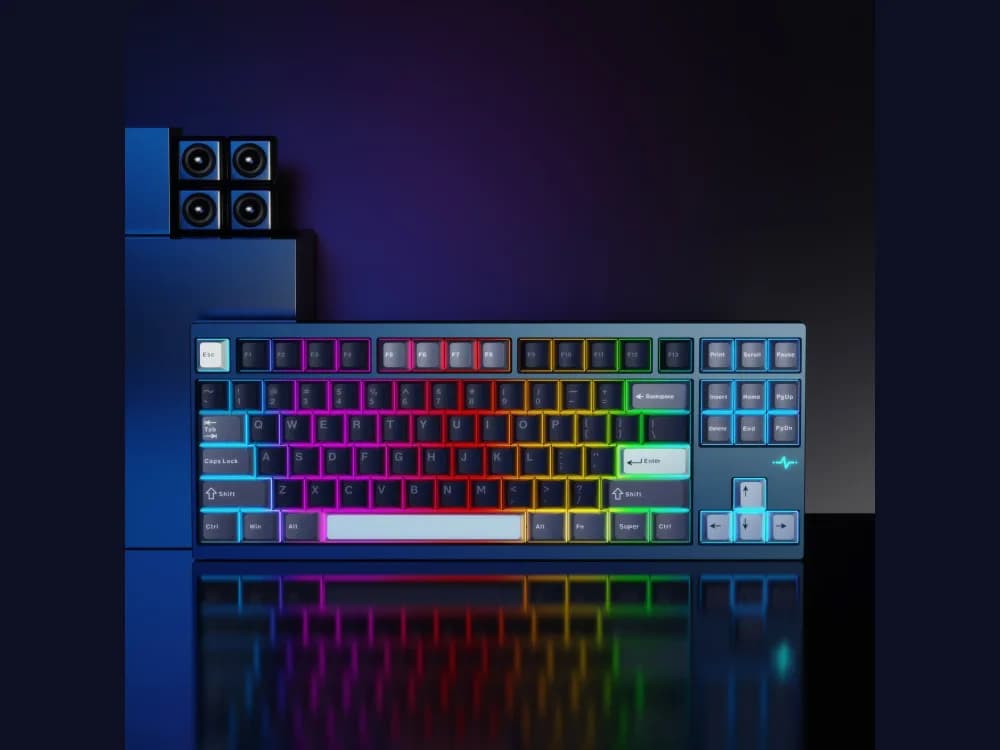
Wobkey Crush 80
Played 226 times on Mechvibes in the last 30 days, and counting.
At a glance
| Wobkey Rainy 75 Pro | Wobkey Crush 80 Reboot Pro | |
|---|---|---|
| Layout | 75%, 81 keys | 80% TKL, 88 keys |
| Case | CNC 6063 aluminum, with a steel support structure | CNC aluminum |
| Switches | WOB (JWK) or Kailh Cocoa linear | Kailh Cocoa linear, hot-swappable |
| Connectivity | USB-C, 2.4 GHz, Bluetooth 5.0 | USB-C, 2.4 GHz, Bluetooth 5.0 |
| Sound in its packs | Creamy, clacky, thocky | Thocky, clicky, creamy |
| Packs on Mechvibes | 3 | 1 |
| Pack views in the 30 days to November 27, 2026 | 8,980 | 226 |
Pack views count each person once a day. Facts from Wobkey's Rainy 75 page, Wobkey's Crush 80 Reboot Pro page and, for the Crush 80's key count, switches and connectivity, Tom's Hardware.
How they sound
Two of the three Rainy 75 Pro packs record Kailh Cocoa switches, one of the two switches Wobkey fits to the Pro. WOB Rainy 75 PRO (FR4 + Kailh Cocoa) carries almost all of the board's views and is described as creamy. Kailh Cocoa Rainy75 Pro is described as clacky and creamy. Rainy75 Pro by -error--hrik- records Durock Sea Glass switches, which Wobkey does not list for the board, and is described as thocky. Wobkey's page does not describe the Rainy's sound in its own words.
The Crush 80 has one pack, Crush80, recorded with Kailh Cocoa switches and described as thocky, clicky and creamy. It does not name a version, but the recording it was made from is titled "WOBkey Crush 80 PRO Reboot (FR4 + Kailh Cocoa) sound test". Wobkey describes the Reboot's sound as "Firmer. Crisper." and says its PCB film gives "consistent acoustics on the wider keys" (Wobkey).
Since the most played Rainy pack and the Crush 80 pack both record Kailh Cocoa switches on an FR4 plate, what you hear between them is mostly the case, the foam and the layout. Open both and type the same sentence on each, at the same volume.
What sets them apart
- Layout. The Rainy 75 Pro is a 75% board with 81 keys (Wobkey). The Crush 80 Reboot Pro is a TKL with 88 keys, a full function row and a 3 x 3 navigation cluster, and no number pad (Tom's Hardware).
- Opening the case. The Crush 80 Reboot has a hot-swap PCB that connects through POGO pins, and its battery sits between two backplates (Wobkey). Tom's Hardware calls the case toolless (Tom's Hardware).
- What is inside. Wobkey lists a PCB gasket mount with 14 gaskets in the Rainy 75, with PORON foam, a dense bottom foam, a PET noise pad, an EPDM damping pad and PET insulation (Wobkey). For the Crush 80 Reboot it lists extra PORON case foam, an extra PCB film and a five-layer pad stack (Wobkey).
- Weight. Wobkey gives the Rainy 75 Pro as about 2.0 kg (Wobkey). Tom's Hardware gives the Crush 80 Reboot Pro as 2,380 g (Tom's Hardware).
- Battery. The Rainy 75 Pro has a 7000 mAh battery that Wobkey rates at about 900 hours (Wobkey). The Crush 80 Reboot Pro has a 7,500 mAh battery; Wobkey gives no running time for it, according to Tom's Hardware.
Which one to hear first
If you want the same switch in two cases, start with the most played Rainy 75 Pro pack and the Crush 80 pack: both record Kailh Cocoa switches on an FR4 plate. If you want a deeper sound, the Crush 80 pack is described as thocky, and so is the Rainy 75 Pro pack by -error--hrik-, which records a different switch from the ones Wobkey fits. If you want a creamy sound, both boards have packs described that way.
If you need the arrow keys and the navigation cluster where a full-size board has them, the Crush 80 is the one with a TKL layout; if you want a smaller board on the desk, the Rainy 75 Pro is the 75% one.
How to listen
Every pack page has a keyboard you can type on. Turn the volume up and type anywhere on the page to hear the pack. To hear it while you work in other apps, download Mechvibes, open the pack and press Install.
The same keyboard can sound very different from one recording to the next. Switches, keycaps, the desk and the microphone all change the sound, which is why the Rainy 75 Pro has several packs here. If you own a Crush 80 in a setup that is missing here, you can record your own pack and add it to the library.