Share Sound Packs as Links: Packs Live on the Website Now
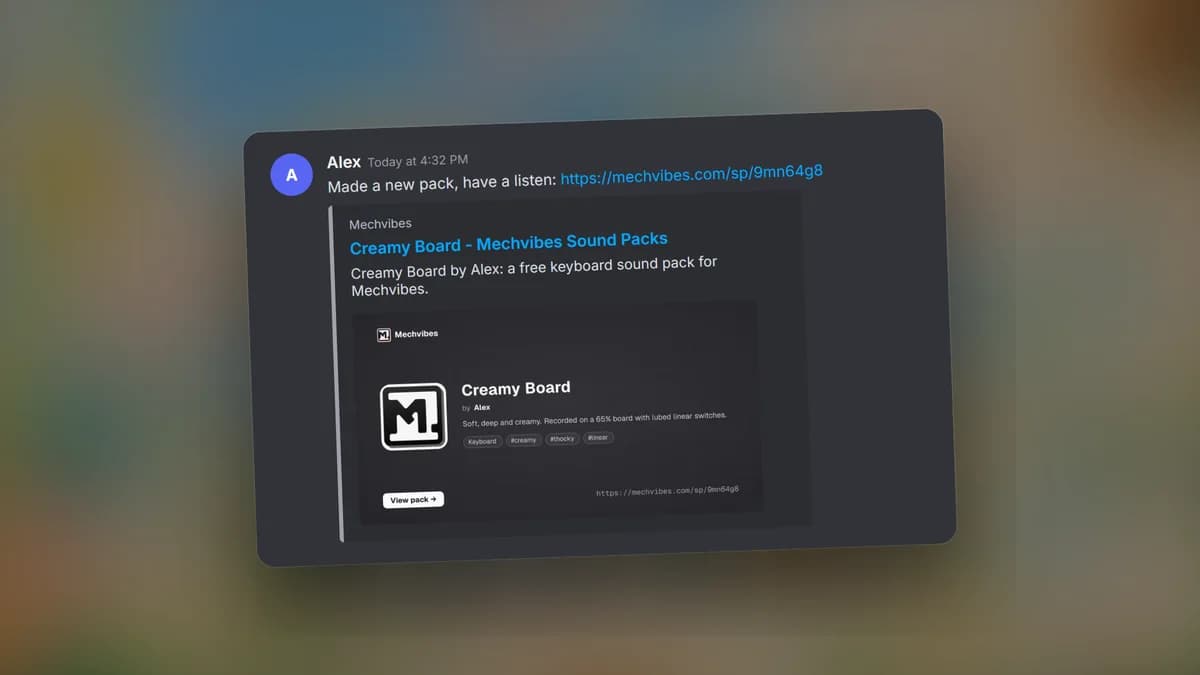
Sound packs now live in one place: the sound pack library on this website. The Mechvibes Discord is where you share them, as a link rather than as a zip.
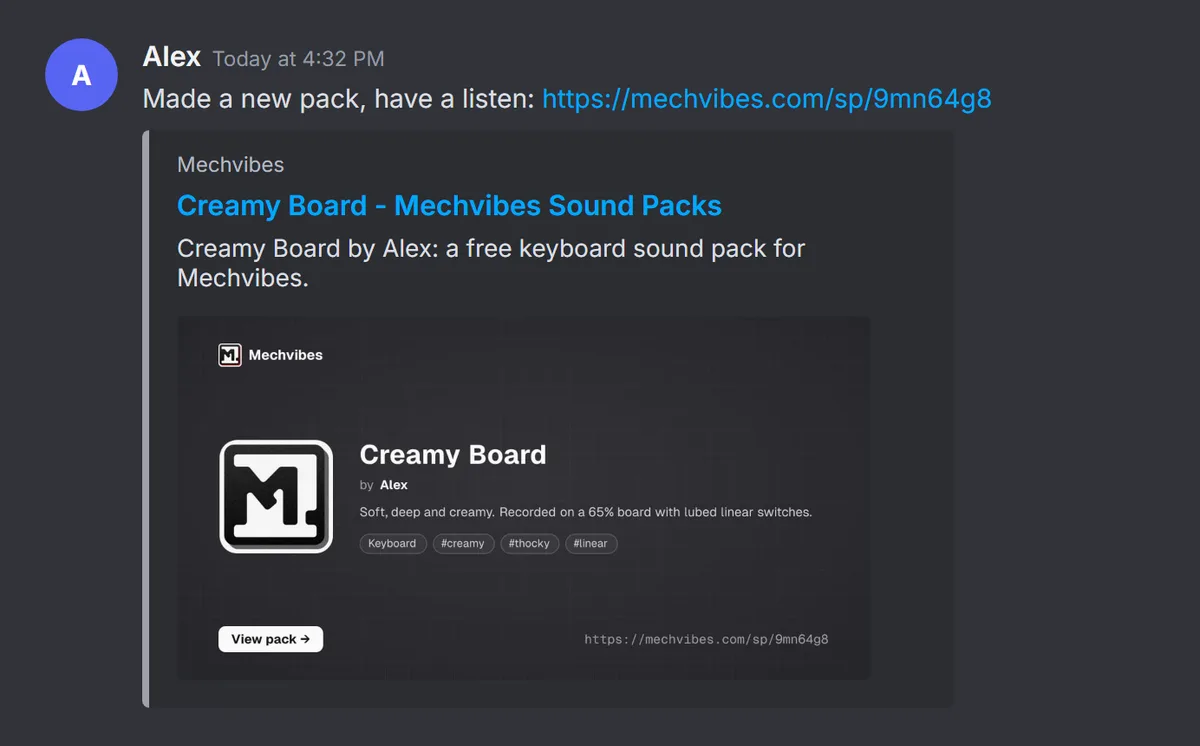
A zip posted in a chat gets buried, and its copies go out of date the moment you fix a key. A pack page always has your latest version, and its ratings and downloads add up in one spot. Every pack gets a short link made for posting, and the link shows a preview of the pack right in the chat.
What changes on Discord
In the keyboard and mouse forums and in #custom-soundpacks, the Mechvibes bot now removes posts that attach a .zip, .rar or .7z file:
- If the archive is in a new forum post, the post is removed and its author gets a direct message with the link to publish the pack on the website.
- If the archive is in a reply, the reply is removed and a short note right below it points to the same page. The note disappears after two minutes.
Text, screenshots, videos and links are not affected. Post your pack's link, and talk about it as much as you like.
Publish your pack
Build the pack in the editor and export its zip. Then:
- Open Share your pack and sign in. A Discord account works.
- Choose the zip. The name, description and tags fill in from it.
- Check them, pick a category and a license, and press Publish pack.
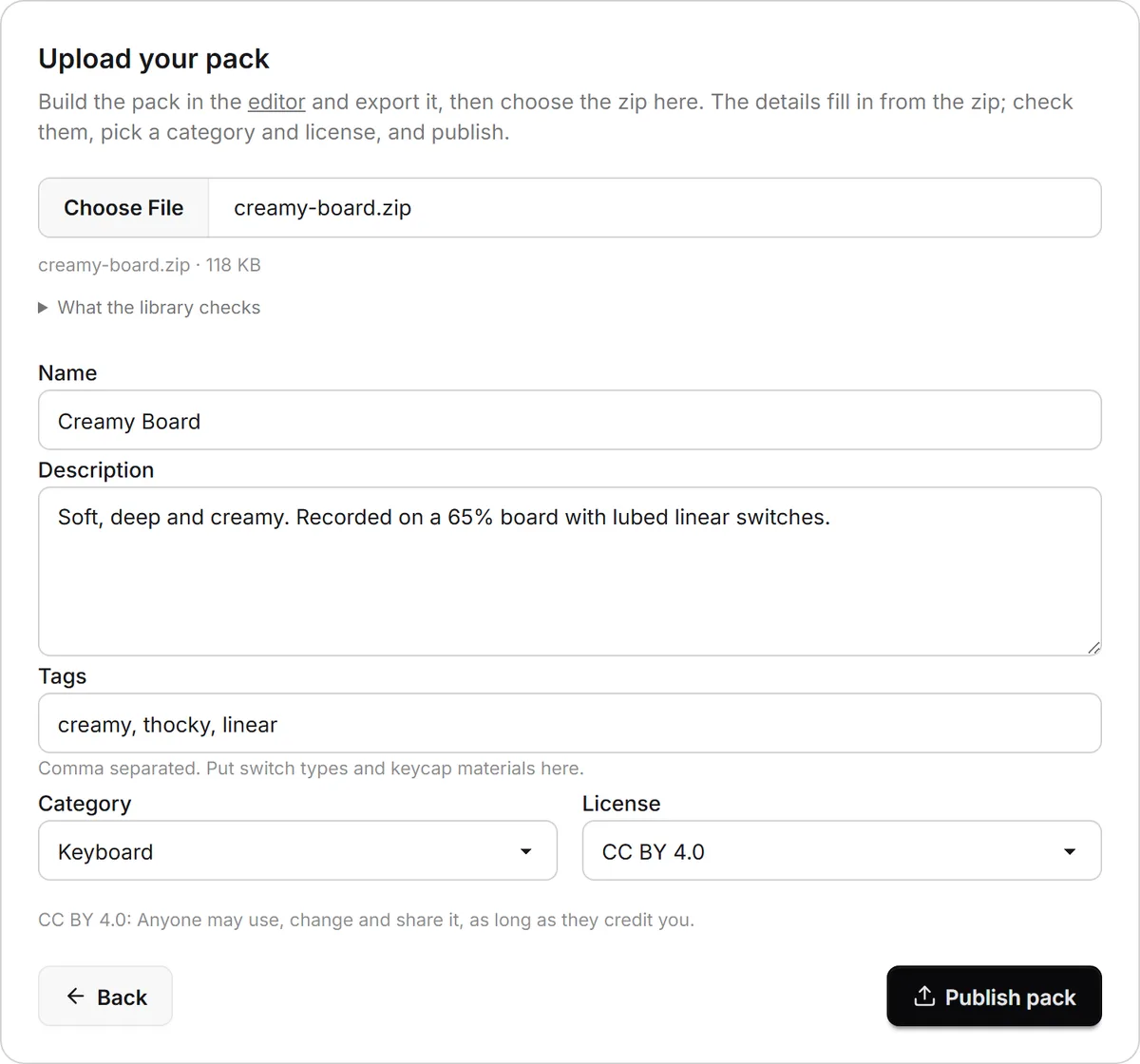
The site checks the pack the same way the app does when it imports one. A pack that passes goes live right away. One that does not pass lists what to fix, and nothing is published until it does.
Share the link
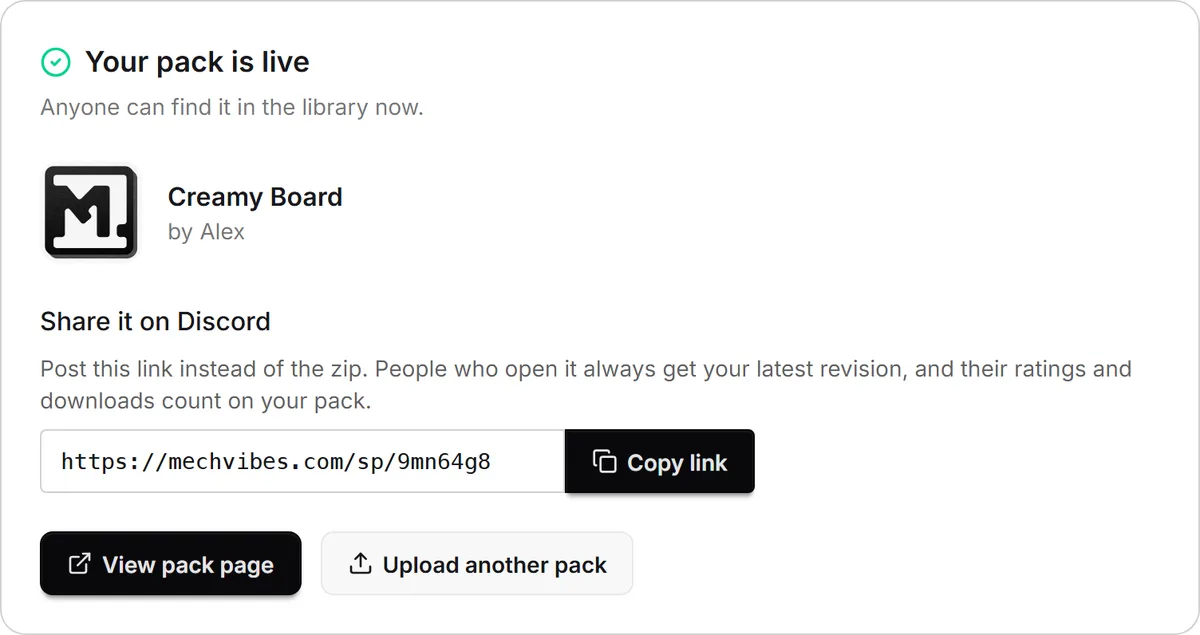
When the pack is live, the page shows its short link: mechvibes.com/sp/ followed by a seven-character code. Choose Copy link.
Paste that link in Discord. It unfurls into a card with the pack's icon, name, author and tags, and a View pack button that leads straight to the pack.
You can find the link again any time on the pack's page, under Share this pack. Anyone can also paste the code or the link into the search on the sound packs page to open your pack.
Update a pack, keep the link
To change the sound, open the pack in the editor from My packs, edit it and press Update, or upload a new zip on the pack's page. The short link stays the same, so every link you have already posted now leads to the new version.
Packs already posted on Discord
Packs shared on Discord before this change are in the library already, credited to their authors with a link back to the original post. If one of them is yours, sign in with the same Discord account and claim it from your sound packs. The library announcement explains how claiming works.
Themes work the same way
Themes have their own library and short links, starting with mechvibes.com/t/. Read Find and Share Mechvibes Themes to publish yours. Step-by-step instructions for both are in the sound pack guide and the themes guide.